

Introduction
Being blocked on Twitter does not always mean the situation has ended.
For many people, blocking creates an uncomfortable question. Are they still talking about me where I cannot see it?
When someone blocks you, Twitter stops delivering notifications for replies and mentions from that account. Losing access to those signals removes visibility into conversations that may still be happening publicly. That lack of visibility often leads to uncertainty, especially when there has already been tension or conflict.
This guide explains how to see whether someone who blocked you has mentioned you on Twitter, using a safe and anonymous approach that does not require logging in or creating a burner account.
Why Some People Block Before Attacking
Blocking on Twitter serves more than one purpose.
Beyond ending direct interaction, blocking also removes visibility. According to X’s own documentation on how blocking works, once an account blocks you, you cannot see their posts, replies, or mentions from your account, even if those posts remain public to others.
Blocking at the account level creates a blind spot. Replies and mentions can continue to exist publicly, while the person being referenced has no direct way to see them.
In harassment scenarios, this blocking first behavior is sometimes described as a silent hit. The content remains public, but the person being referenced stays unaware unless they take deliberate steps to verify it independently.
Why Checking With Your Own Account or a Burner Account Is Risky
When people try to confirm whether something is happening, they usually consider two options.
Using Your Main Account
Using a primary account rarely works. Twitter typically shows messages such as “This user is unavailable,” and replies remain hidden due to the block. The result is no additional information and continued uncertainty.
Creating a Burner Account
Burner accounts may appear safer, but they introduce new risks. Account creation often requires verification. New accounts may have limited visibility. Accidental interactions, such as likes or follows, can expose interest. Device or IP signals may also connect activity across accounts.
Both approaches fail to provide much confirmation.
A Safer Option Using an Online Twitter Viewer
A more reliable option is using an online Twitter viewer that does not require a login.
Twitter-viewer allows users to browse public Twitter content through a third-party interface. Because the viewer is not tied to a Twitter account, account-level blocking does not apply.
The approach does not bypass private content or platform rules. It simply provides access to information that is already public, without attaching that access to your identity or activity.
Step 1: Identify the Account You Are Concerned About
Start with the username of the account you suspect may be mentioning you. This may be someone who recently blocked you or an account involved in a previous dispute.
Step 2: View Public Activity Anonymously
Enter the username into Twitter-Viewer.
Because the viewer is not logged in, the block does not restrict visibility. Public tweets, replies, and threads remain accessible without exposing your account or triggering recommendations.
Step 3 Search for Mentions of Your Username
Review the public posts and replies shown on the profile and timeline of the account you are checking.
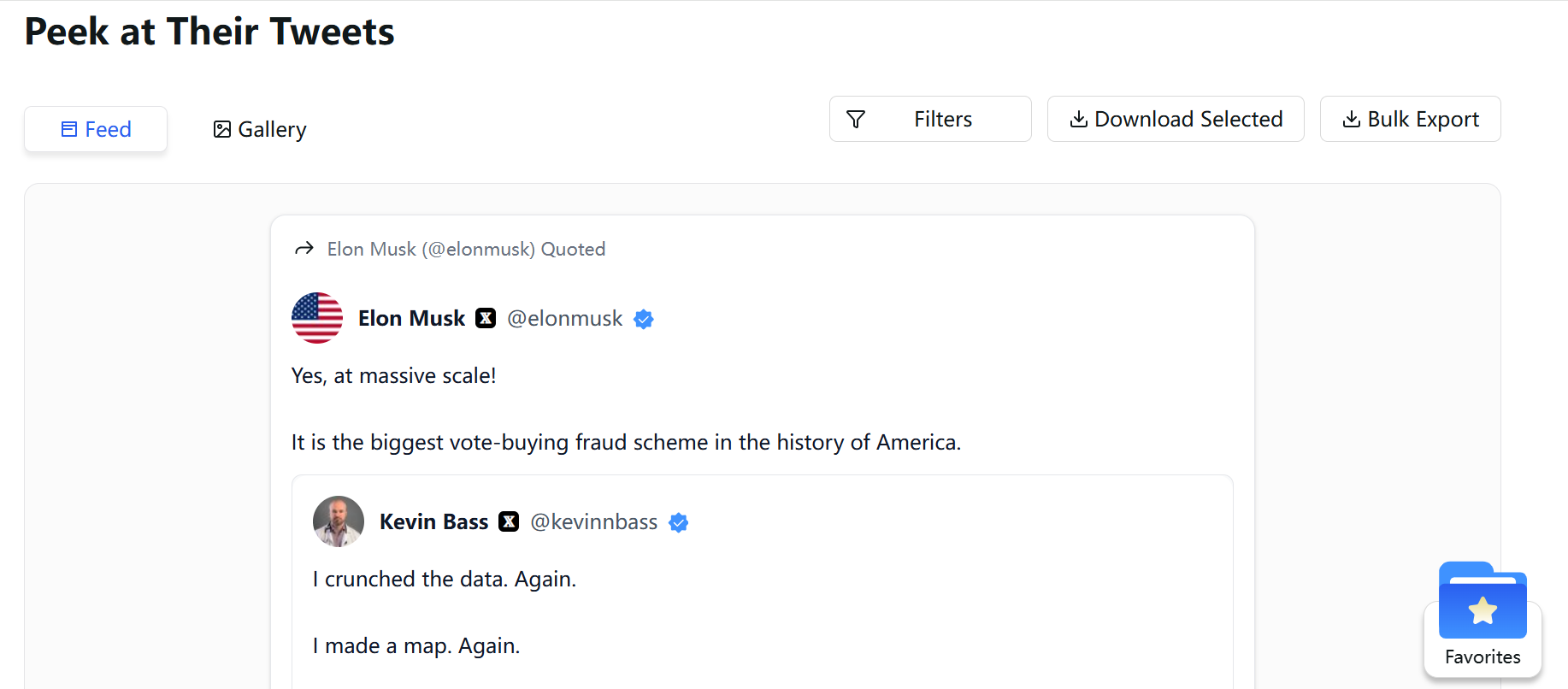
Focus on replies, quote tweets, or threads where your username may appear in plain text. Since Twitter-Viewer displays public activity without login restrictions, you can manually verify whether that specific account has mentioned you, without interacting or revealing your identity.
This approach is especially useful when you already suspect a particular account and want quiet confirmation.
What to Do If You Find Harmful Content
If you discover content that feels abusive, misleading, or disturbing, avoid responding directly.
Logging in to reply or confront often increases visibility for the content and adds emotional strain. Remaining anonymous helps maintain distance and control.
An online viewer also provides a cleaner environment for documentation. Screenshots taken outside the logged-in interface avoid ads, side panels, and algorithmic distractions. Clear records are easier to review later if reporting or documentation becomes necessary.
Conclusion
Not seeing something does not mean it is not happening.
When blocking is used to limit visibility rather than resolve conflict, independent access to public information becomes important. An anonymous Twitter viewer like Twitter-Viewer gives users a way to check, confirm, and document mentions without escalating the situation or risking account exposure.
Peace of mind often begins with quiet verification, done on your own terms.


